


Photomotion X 10.3.2 – Biggest Photo Animation Toolkit (5 in 1)

Welcome Photomotion X
We’ve spent years perfecting the art of animating static pictures. Photomotion X is the result.
Five Products in One.
The largest photo animation toolkit ever created.
Portrait
Animate any face with the most advanced portrait projection on the market.
Glacier
Create truly engaging cinemagraphs directly inside of Photomotion.
Mirage
Make your skies, smoke and water move with our new Mirage toolkit.
Horizon
Professional 3D projection for truly photorealistic results. Completely revamped in Photomotion X.
Parallax
Create stunning animations by combining simple parallax effect with the power of Photomotion.
more coming soon
We aim to create the most complete photo animation toolkit on the planet. Expect new animation tools soon.
100 New Features
Photomotion X is the biggest update we’ve ever created. It combines years of experience into one tool that brings more than 100 new features to you.
Easier Than Ever with Smart Interface.
Compatible with Mac & Windows. Requires Adobe After Effects installed on your computer.
Your Command Centre. Our proprietary Smart Interface is constantly adapting to your actions, making it is easier than ever to use Photomotion. Developed by leading user experience designers to make sure you don’t need to read tons of tutorials to start using Photomotion. Save & Take with you.
Working on multiple computers just got easier. Photomotion doesn’t require installation so you can simply move your project to another computer and continue working where you left off. Comes with full support for Windows and Mac OS.
One-Click 3D Particles
29 Fully Integrated Particle Systems
With the new Photomotion X you can add professional 3D particles to your scene with a single click. Photomotion will automatically animate them for you so you don’t need to spend any time at all and your image will immediately look more engaging.
Most popular:
Snow, Rain, Leaves & Petals, Dust, Time – Freeze 24 more particle systems
One-Click Seamless Loops
Auto-Loop.
Create infinitely long animations with our new auto-loop feature. One click and Photomotion will calculate all loops for you.
Boomerang.
Prefer boomerang effect? Photomotion X comes with one-click function to create boomerang animations for you.
Packed with 100 Features
Photomotion X is the largest photo animation toolkit ever created, packed with features to help you create stunning images easier.5 products in 1, Scene Relight, Camera Follow, Eyes Scale, Face Makeup, Slideshow Builder, Resolution Previews, Auto-Loop 92 more
Variations.
Create variations of your animation for different channels without re-animating your image again. This allows you to create multiple versions of the same animation in just a few clicks.
Photomotion Presets
Export different variations of your animation for different channels without need to re-animate your image.
Buy Once. Animate Forever.
We created Photomotion to help more people get into photo animation. Limiting how many pictures you could convert would go against our vision. We don’t put any limits on number of pictures you convert with Photomotion.
Portrait
Photomotion Portrait is the most advanced and feature rich projection for animating portrait photos. With most sophisticated projection engine on the market.
Use X-ray:
Photomotion uses professional 3D body scans to give you the most realistic depth maps you can get.
True Depth:
Let our proprietery Photomotion Xray calculate 3D mesh by simply choosing positions of your eyes and nose.
Move in 3D space:
Use Smart Interface to move your face in real 3D space, add particles, enhance your animation and export your video.
Glacier
Photomotion Glacier can create engaging cinemagraphs by freezing a part of your video while the rest continues to play in seamless loop or boomerang animation.
Import Video:
Import a video into Glacier where you will be able to stabilize it and make it ready for the next step.
Freeze:
Freeze one or more areas of your video by simply drawin a mask around it. All inside of After Effects.
Auto-Loop:
Glacier will automatically calculate seamless loops for you, so you can export your final video to any length.
Mirage
Photomotion Mirage combines the power of animating water, skies, smoke and others with our auto-loop system to create illusion of a movement in your photos.
Mask:
Import an image and create a mask around the area you want Mirage to animate. All inside of After Effects.
Mesh Move:
Mirage will calculate a mesh in your masked area and give you tools to animate it however you want.
Seamlessly Looped:
Mirage will then automatically caculate a seamless loop for you and let you export infinitely long animation.
Horizon
Photomotion Horizon is a professional 3D projection without the need to learn or use any 3D software. This is the most feature rich projection in Photomotion X.
Use 3D Cage:
Horizon uses our special control system for setting up a real 3D space by using intuitive user interface controls.
Add Objects:
Add objects to your scene such as people and let Horizon do the hard work of calculating their real 3D position.
Animate & Export:
Horizon offers the most advanced tools for photo animaiton. Use them to create stunning end results.
Parallax
Photomotion Parallax combines the power of Photomotion engine with the simplicity of parallax effect to create beautiful animations in no time.
Add Background:
Add the main layer to Parallax. That’s usually a background of your image.
Add Layers:
Add multiple objects into the scene, position them wherever you want and build your own 2.5D scene.
Have Fun!
Move the camera by using our Smart Interface and watch your layers come to life without need to set-up animations manually.
Suitable for beginners
Photomotion
Easy to use and optimised for complete beginners as well as professionals
Other
Most tools aren’t optimised for beginners and first time users
Suitable for professional use
Photomotion
full support for professional-grade tools, features and training
Other
most tools are offering very simple and limited featureset
Suitable for professional use
Photomotion
full support for professional-grade tools, features and training
Other
most tools are offering very simple and limited featureset
Number of projection methods
Photomotion
5 new coming soon
Other
1-2
Original price was: ₹150.00.₹49.00Current price is: ₹49.00.
Welcome Photomotion X
We’ve spent years perfecting the art of animating static pictures. Photomotion X is the result.
Five Products in One.
The largest photo animation toolkit ever created.
Portrait
Animate any face with the most advanced portrait projection on the market.
Glacier
Create truly engaging cinemagraphs directly inside of Photomotion.
Mirage
Make your skies, smoke and water move with our new Mirage toolkit.
Horizon
Professional 3D projection for truly photorealistic results. Completely revamped in Photomotion X.
Parallax
Create stunning animations by combining simple parallax effect with the power of Photomotion.
more coming soon
We aim to create the most complete photo animation toolkit on the planet. Expect new animation tools soon.
100 New Features
Photomotion X is the biggest update we’ve ever created. It combines years of experience into one tool that brings more than 100 new features to you.
Easier Than Ever with Smart Interface.
Compatible with Mac & Windows. Requires Adobe After Effects installed on your computer.
Your Command Centre. Our proprietary Smart Interface is constantly adapting to your actions, making it is easier than ever to use Photomotion. Developed by leading user experience designers to make sure you don’t need to read tons of tutorials to start using Photomotion. Save & Take with you.
Working on multiple computers just got easier. Photomotion doesn’t require installation so you can simply move your project to another computer and continue working where you left off. Comes with full support for Windows and Mac OS.
One-Click 3D Particles
29 Fully Integrated Particle Systems
With the new Photomotion X you can add professional 3D particles to your scene with a single click. Photomotion will automatically animate them for you so you don’t need to spend any time at all and your image will immediately look more engaging.
Most popular:
Snow, Rain, Leaves & Petals, Dust, Time – Freeze 24 more particle systems
One-Click Seamless Loops
Auto-Loop.
Create infinitely long animations with our new auto-loop feature. One click and Photomotion will calculate all loops for you.
Boomerang.
Prefer boomerang effect? Photomotion X comes with one-click function to create boomerang animations for you.
Packed with 100 Features
Photomotion X is the largest photo animation toolkit ever created, packed with features to help you create stunning images easier.5 products in 1, Scene Relight, Camera Follow, Eyes Scale, Face Makeup, Slideshow Builder, Resolution Previews, Auto-Loop 92 more
Variations.
Create variations of your animation for different channels without re-animating your image again. This allows you to create multiple versions of the same animation in just a few clicks.
Photomotion Presets
Export different variations of your animation for different channels without need to re-animate your image.
Buy Once. Animate Forever.
We created Photomotion to help more people get into photo animation. Limiting how many pictures you could convert would go against our vision. We don’t put any limits on number of pictures you convert with Photomotion.
Portrait
Photomotion Portrait is the most advanced and feature rich projection for animating portrait photos. With most sophisticated projection engine on the market.
Use X-ray:
Photomotion uses professional 3D body scans to give you the most realistic depth maps you can get.
True Depth:
Let our proprietery Photomotion Xray calculate 3D mesh by simply choosing positions of your eyes and nose.
Move in 3D space:
Use Smart Interface to move your face in real 3D space, add particles, enhance your animation and export your video.
Glacier
Photomotion Glacier can create engaging cinemagraphs by freezing a part of your video while the rest continues to play in seamless loop or boomerang animation.
Import Video:
Import a video into Glacier where you will be able to stabilize it and make it ready for the next step.
Freeze:
Freeze one or more areas of your video by simply drawin a mask around it. All inside of After Effects.
Auto-Loop:
Glacier will automatically calculate seamless loops for you, so you can export your final video to any length.
Mirage
Photomotion Mirage combines the power of animating water, skies, smoke and others with our auto-loop system to create illusion of a movement in your photos.
Mask:
Import an image and create a mask around the area you want Mirage to animate. All inside of After Effects.
Mesh Move:
Mirage will calculate a mesh in your masked area and give you tools to animate it however you want.
Seamlessly Looped:
Mirage will then automatically caculate a seamless loop for you and let you export infinitely long animation.
Horizon
Photomotion Horizon is a professional 3D projection without the need to learn or use any 3D software. This is the most feature rich projection in Photomotion X.
Use 3D Cage:
Horizon uses our special control system for setting up a real 3D space by using intuitive user interface controls.
Add Objects:
Add objects to your scene such as people and let Horizon do the hard work of calculating their real 3D position.
Animate & Export:
Horizon offers the most advanced tools for photo animaiton. Use them to create stunning end results.
Parallax
Photomotion Parallax combines the power of Photomotion engine with the simplicity of parallax effect to create beautiful animations in no time.
Add Background:
Add the main layer to Parallax. That’s usually a background of your image.
Add Layers:
Add multiple objects into the scene, position them wherever you want and build your own 2.5D scene.
Have Fun!
Move the camera by using our Smart Interface and watch your layers come to life without need to set-up animations manually.
Suitable for beginners
Photomotion
Easy to use and optimised for complete beginners as well as professionals
Other
Most tools aren’t optimised for beginners and first time users
Suitable for professional use
Photomotion
full support for professional-grade tools, features and training
Other
most tools are offering very simple and limited featureset
Suitable for professional use
Photomotion
full support for professional-grade tools, features and training
Other
most tools are offering very simple and limited featureset
Number of projection methods
Photomotion
5 new coming soon
Other
1-2
Related Products
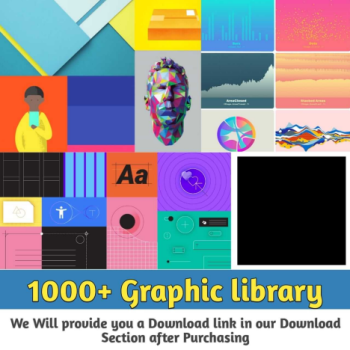
A graphics library is a program library designed to aid in rendering computer graphics to a monitor. This typically involves providing optimized versions of functions that handle common rendering tasks
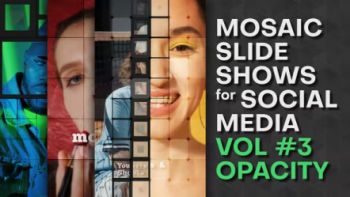
Project features:
- Very easy to use and edit. Just put your images in placeholders and edit the texts ● Video tutorial included
- No plugin required
- After Effects CC 2021 or higher
- Frame rate: 30
- Universal Expressions (Works for all After Effects Languages)
- All settings with one control layer
- Well organized template
- Music and images not included
- Font “ChunkFive Ex” you can find here
● Soundtrack you can find here

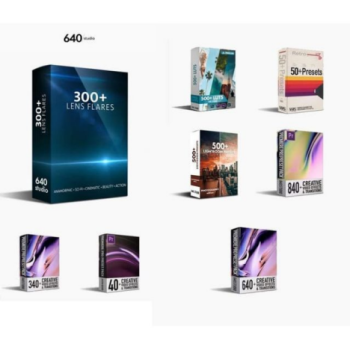
- 40 Transtions Video Effects Starter Pack
- 50 Vhs Presets Pack
- 300 Action Sci-fi Cinematic Anamorphic Lens Flares
- 340 Transition Video Effects Pack
- 500 Photography Presets Pack
- 540 Cinematic Luts Pack
- 640 Transitions Video Effects Pack
● 840 Transitions Video Editing Pack

Enhance Your Videos with Premiere Pro Music & Audio Assets: Elevate Your Content with Captivating Soundscapes!
Capturing your audience’s attention requires more than just stunning visuals; it requires the perfect soundtrack to complement your storytelling. Introducing Premiere Pro Music & Audio Assets, your ultimate collection of high-quality soundtracks, sound effects, and audio elements to take your videos to new heights.
Key Features:
- Diverse Audio Library: Our collection offers a wide variety of music genres, audio tracks, and sound effects suitable for every video style and theme. Whether you need background music for a heartfelt scene, energetic beats for an action sequence, or atmospheric soundscapes to set the mood, we’ve got you covered.
- Seamless Integration: Designed exclusively for Premiere Pro, our audio assets effortlessly integrate into your editing workflow. With easy drag-and-drop functionality, you can elevate your videos with captivating audio in seconds.
- Professionally Composed Tracks: Immerse your viewers in the cinematic experience with professionally composed music tracks that evoke emotion and enhance storytelling. Our music assets are crafted by skilled composers, ensuring top-notch quality and impact.
- SFX for Immersive Storytelling: Take your audience on a sensory journey with our collection of sound effects (SFX). From subtle background ambiance to powerful impact sounds, our SFX assets breathe life into your videos, making them feel more authentic and immersive.
- Customizable Audio: Tailor the audio elements to fit your video’s rhythm and flow. Our audio assets come in customizable formats, allowing you to trim, loop, or adjust volumes to achieve the perfect blend with your visuals.
- Royalty-Free Licensing: Enjoy peace of mind with our royalty-free licensing. Once you’ve added our music and audio assets to your videos, you can use them in perpetuity without worrying about additional fees or copyright issues.
- Elevate Brand Storytelling: Stand out from the crowd with original and impactful audio. Our music and audio assets allow you to create a unique brand identity and captivate your audience with memorable audio experiences.
- Ongoing Updates: As the world of video production evolves, so do our music and audio assets. We provide continuous updates to keep our collection fresh and in line with the latest trends and styles.
Enhance your videos with the power of sound. Elevate your storytelling, engage your audience, and leave a lasting impression with Premiere Pro Music & Audio Assets.
Unleash your creative potential with the perfect audio accompaniment. Embrace the future of video production and captivate your audience with captivating soundscapes. Get started now and take your videos to new auditory heights!
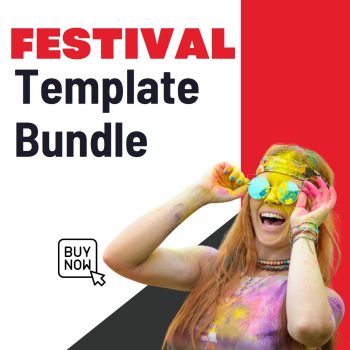
Are you gearing up to host an unforgettable festival or event? Our Festival Template Bundle is your ultimate companion, offering a comprehensive collection of professionally designed templates to elevate every aspect of your festival planning. From promotional materials to organizational tools, this bundle has everything you need to create a cohesive and visually stunning festival experience.
Key Features:
- Event Flyers and Posters: Grab attention and generate buzz with eye-catching flyers and posters. Customize these templates with your festival’s theme, lineup, dates, and venue details to entice potential attendees.
- Social Media Graphics: Engage your audience on social media platforms with striking graphics optimized for various networks. Share event updates, artist announcements, and countdowns with style.
- Ticket Designs: Create visually appealing and branded tickets that not only serve as entry passes but also leave a lasting impression on your attendees.
- Program Booklet: Guide festival-goers through the schedule, lineup, and essential information with a professionally designed program booklet.
- VIP Passes and Lanyards: Treat your VIP guests to a memorable experience with exclusive VIP passes and lanyards that exude prestige.
- Press Release Templates: Reach out to the media with confidence using press release templates that showcase your festival’s highlights and unique selling points.
- Vendor and Sponsorship Proposals: Attract vendors and sponsors with well-designed proposals outlining the benefits of partnering with your festival.
- Signage and Banners: Ensure smooth navigation and enhance the festival ambiance with attention-grabbing signage and banners.
- Merchandise Designs: Boost your festival’s branding and revenue with merchandising templates for T-shirts, caps, and other collectibles.
- Event Ticketing and RSVP Forms: Streamline the ticketing process and RSVP management with editable forms that integrate seamlessly with popular ticketing platforms.
Bundle Benefits:
- Time-Saving: Avoid the hassle of starting from scratch. Our templates are pre-designed and easy to customize, saving you valuable time during the festival planning process.
- Professional Quality: Impress your audience and partners with high-quality designs that reflect the professionalism and uniqueness of your festival.
- Cohesive Branding: Maintain a consistent brand image across all festival materials, creating a memorable and immersive experience for attendees.
- Versatility: The templates are compatible with popular graphic design software, ensuring flexibility and ease of use for both beginners and experienced designers.
Host your festival with confidence and creativity using our Festival Template Bundle. Embrace the power of stunning visuals and compelling designs to make your event an unforgettable success. Get your bundle today and take your festival planning to the next level!
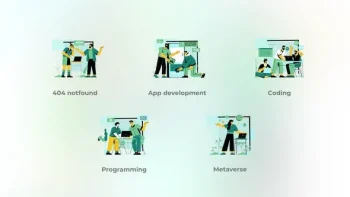
App development – Big People Concepts 42005451. App development – Big People Concepts
Clean and beauty animation
100% After effects
Loop animation
Bodymovin optimized
Easy customozation
All icons have 100% vector and fully resizable!
Audio track here
Video Player
The pack encompasses 50 Animated Backgrounds, making it a perfect toolset for any motion design project.
You can use it to enhance your animations and motion graphics, just by dragging any element into your composition and transforming the image and background.
Each animation is loop-ready, for creating seamlessly looped sequences in your favorite video editing software.
Features:
50 Animated Backgrounds
Seamlessly Looped
4K Ultra HD Resolution 3840×2160, 30 fps
Compatible With:
-Adobe Premiere Pro
-Adobe After Effects
-Final Cut Pro
-Davinci Resolve
-HitFilm Pro
-Vegas Pro
-Other Video Editing Software
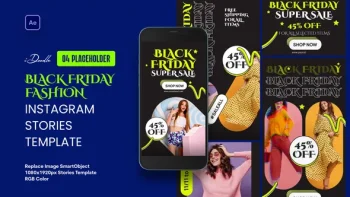
Black Friday Instagram Stories Template 41917687. Black Friday Instagram Stories Template
N O T E :** The model image is not included in the file. It is used for demonstration purpose only.
FEATURES :
######################
Change Colors Easily
Video Tutorial Included
No Plugins Required
Easily Customizable
1080×1920 Resolution
Works With any Language
After Effects CC
FONTS USE :
######################
https://fonts.google.com/specimen/Cinzel Decorative
https://fonts.google.com/specimen/Manrope
MUSIC :
######################
https://audiojungle.net/item/calm-corporate-music/31531326?s_rank=1
Video Player
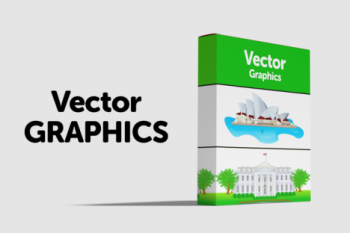
Download awesome Illustrations.
If you’re looking for some quality, professional illustrations to pep up your artwork then this set is for you.
Illustrations can add some real personality to a website.


There are templates of every style, including business, medical, social media, ecological, maps, cycles, and much more. Each template comes in AI, EPS, PSD, PNG, and JPG file format, so you can use them in Illustrator, Photoshop, or any other software, and adapt them easily to your specific needs.
Only free fonts are used in these templates, and links to download and install them are included as well.
MAIN FEATURES:
– Well organized
– Fully layered
– 100% Vector
ZIP PACKAGE INCLUDES:
– 200 EPS10 files
– 200 AI CS2 files with editable text
– 200 PSD layered files
– 200 JPEG files
– 200 PNG files on a transparent background without texts and icons for each infographic
Included items:
– Cycle infographic pack
– Ecological infographics
– Social media infographics
– Fresh infographics pack
– Business infographics pack
– Maps and markers infographic pack – Medical infographics pack


Reviews
There are no reviews yet.