


Photomotion X 10.3.2 – Biggest Photo Animation Toolkit (5 in 1)

Welcome Photomotion X
We’ve spent years perfecting the art of animating static pictures. Photomotion X is the result.
Five Products in One.
The largest photo animation toolkit ever created.
Portrait
Animate any face with the most advanced portrait projection on the market.
Glacier
Create truly engaging cinemagraphs directly inside of Photomotion.
Mirage
Make your skies, smoke and water move with our new Mirage toolkit.
Horizon
Professional 3D projection for truly photorealistic results. Completely revamped in Photomotion X.
Parallax
Create stunning animations by combining simple parallax effect with the power of Photomotion.
more coming soon
We aim to create the most complete photo animation toolkit on the planet. Expect new animation tools soon.
100 New Features
Photomotion X is the biggest update we’ve ever created. It combines years of experience into one tool that brings more than 100 new features to you.
Easier Than Ever with Smart Interface.
Compatible with Mac & Windows. Requires Adobe After Effects installed on your computer.
Your Command Centre. Our proprietary Smart Interface is constantly adapting to your actions, making it is easier than ever to use Photomotion. Developed by leading user experience designers to make sure you don’t need to read tons of tutorials to start using Photomotion. Save & Take with you.
Working on multiple computers just got easier. Photomotion doesn’t require installation so you can simply move your project to another computer and continue working where you left off. Comes with full support for Windows and Mac OS.
One-Click 3D Particles
29 Fully Integrated Particle Systems
With the new Photomotion X you can add professional 3D particles to your scene with a single click. Photomotion will automatically animate them for you so you don’t need to spend any time at all and your image will immediately look more engaging.
Most popular:
Snow, Rain, Leaves & Petals, Dust, Time – Freeze 24 more particle systems
One-Click Seamless Loops
Auto-Loop.
Create infinitely long animations with our new auto-loop feature. One click and Photomotion will calculate all loops for you.
Boomerang.
Prefer boomerang effect? Photomotion X comes with one-click function to create boomerang animations for you.
Packed with 100 Features
Photomotion X is the largest photo animation toolkit ever created, packed with features to help you create stunning images easier.5 products in 1, Scene Relight, Camera Follow, Eyes Scale, Face Makeup, Slideshow Builder, Resolution Previews, Auto-Loop 92 more
Variations.
Create variations of your animation for different channels without re-animating your image again. This allows you to create multiple versions of the same animation in just a few clicks.
Photomotion Presets
Export different variations of your animation for different channels without need to re-animate your image.
Buy Once. Animate Forever.
We created Photomotion to help more people get into photo animation. Limiting how many pictures you could convert would go against our vision. We don’t put any limits on number of pictures you convert with Photomotion.
Portrait
Photomotion Portrait is the most advanced and feature rich projection for animating portrait photos. With most sophisticated projection engine on the market.
Use X-ray:
Photomotion uses professional 3D body scans to give you the most realistic depth maps you can get.
True Depth:
Let our proprietery Photomotion Xray calculate 3D mesh by simply choosing positions of your eyes and nose.
Move in 3D space:
Use Smart Interface to move your face in real 3D space, add particles, enhance your animation and export your video.
Glacier
Photomotion Glacier can create engaging cinemagraphs by freezing a part of your video while the rest continues to play in seamless loop or boomerang animation.
Import Video:
Import a video into Glacier where you will be able to stabilize it and make it ready for the next step.
Freeze:
Freeze one or more areas of your video by simply drawin a mask around it. All inside of After Effects.
Auto-Loop:
Glacier will automatically calculate seamless loops for you, so you can export your final video to any length.
Mirage
Photomotion Mirage combines the power of animating water, skies, smoke and others with our auto-loop system to create illusion of a movement in your photos.
Mask:
Import an image and create a mask around the area you want Mirage to animate. All inside of After Effects.
Mesh Move:
Mirage will calculate a mesh in your masked area and give you tools to animate it however you want.
Seamlessly Looped:
Mirage will then automatically caculate a seamless loop for you and let you export infinitely long animation.
Horizon
Photomotion Horizon is a professional 3D projection without the need to learn or use any 3D software. This is the most feature rich projection in Photomotion X.
Use 3D Cage:
Horizon uses our special control system for setting up a real 3D space by using intuitive user interface controls.
Add Objects:
Add objects to your scene such as people and let Horizon do the hard work of calculating their real 3D position.
Animate & Export:
Horizon offers the most advanced tools for photo animaiton. Use them to create stunning end results.
Parallax
Photomotion Parallax combines the power of Photomotion engine with the simplicity of parallax effect to create beautiful animations in no time.
Add Background:
Add the main layer to Parallax. That’s usually a background of your image.
Add Layers:
Add multiple objects into the scene, position them wherever you want and build your own 2.5D scene.
Have Fun!
Move the camera by using our Smart Interface and watch your layers come to life without need to set-up animations manually.
Suitable for beginners
Photomotion
Easy to use and optimised for complete beginners as well as professionals
Other
Most tools aren’t optimised for beginners and first time users
Suitable for professional use
Photomotion
full support for professional-grade tools, features and training
Other
most tools are offering very simple and limited featureset
Suitable for professional use
Photomotion
full support for professional-grade tools, features and training
Other
most tools are offering very simple and limited featureset
Number of projection methods
Photomotion
5 new coming soon
Other
1-2
Original price was: ₹150.00.₹49.00Current price is: ₹49.00.
Welcome Photomotion X
We’ve spent years perfecting the art of animating static pictures. Photomotion X is the result.
Five Products in One.
The largest photo animation toolkit ever created.
Portrait
Animate any face with the most advanced portrait projection on the market.
Glacier
Create truly engaging cinemagraphs directly inside of Photomotion.
Mirage
Make your skies, smoke and water move with our new Mirage toolkit.
Horizon
Professional 3D projection for truly photorealistic results. Completely revamped in Photomotion X.
Parallax
Create stunning animations by combining simple parallax effect with the power of Photomotion.
more coming soon
We aim to create the most complete photo animation toolkit on the planet. Expect new animation tools soon.
100 New Features
Photomotion X is the biggest update we’ve ever created. It combines years of experience into one tool that brings more than 100 new features to you.
Easier Than Ever with Smart Interface.
Compatible with Mac & Windows. Requires Adobe After Effects installed on your computer.
Your Command Centre. Our proprietary Smart Interface is constantly adapting to your actions, making it is easier than ever to use Photomotion. Developed by leading user experience designers to make sure you don’t need to read tons of tutorials to start using Photomotion. Save & Take with you.
Working on multiple computers just got easier. Photomotion doesn’t require installation so you can simply move your project to another computer and continue working where you left off. Comes with full support for Windows and Mac OS.
One-Click 3D Particles
29 Fully Integrated Particle Systems
With the new Photomotion X you can add professional 3D particles to your scene with a single click. Photomotion will automatically animate them for you so you don’t need to spend any time at all and your image will immediately look more engaging.
Most popular:
Snow, Rain, Leaves & Petals, Dust, Time – Freeze 24 more particle systems
One-Click Seamless Loops
Auto-Loop.
Create infinitely long animations with our new auto-loop feature. One click and Photomotion will calculate all loops for you.
Boomerang.
Prefer boomerang effect? Photomotion X comes with one-click function to create boomerang animations for you.
Packed with 100 Features
Photomotion X is the largest photo animation toolkit ever created, packed with features to help you create stunning images easier.5 products in 1, Scene Relight, Camera Follow, Eyes Scale, Face Makeup, Slideshow Builder, Resolution Previews, Auto-Loop 92 more
Variations.
Create variations of your animation for different channels without re-animating your image again. This allows you to create multiple versions of the same animation in just a few clicks.
Photomotion Presets
Export different variations of your animation for different channels without need to re-animate your image.
Buy Once. Animate Forever.
We created Photomotion to help more people get into photo animation. Limiting how many pictures you could convert would go against our vision. We don’t put any limits on number of pictures you convert with Photomotion.
Portrait
Photomotion Portrait is the most advanced and feature rich projection for animating portrait photos. With most sophisticated projection engine on the market.
Use X-ray:
Photomotion uses professional 3D body scans to give you the most realistic depth maps you can get.
True Depth:
Let our proprietery Photomotion Xray calculate 3D mesh by simply choosing positions of your eyes and nose.
Move in 3D space:
Use Smart Interface to move your face in real 3D space, add particles, enhance your animation and export your video.
Glacier
Photomotion Glacier can create engaging cinemagraphs by freezing a part of your video while the rest continues to play in seamless loop or boomerang animation.
Import Video:
Import a video into Glacier where you will be able to stabilize it and make it ready for the next step.
Freeze:
Freeze one or more areas of your video by simply drawin a mask around it. All inside of After Effects.
Auto-Loop:
Glacier will automatically calculate seamless loops for you, so you can export your final video to any length.
Mirage
Photomotion Mirage combines the power of animating water, skies, smoke and others with our auto-loop system to create illusion of a movement in your photos.
Mask:
Import an image and create a mask around the area you want Mirage to animate. All inside of After Effects.
Mesh Move:
Mirage will calculate a mesh in your masked area and give you tools to animate it however you want.
Seamlessly Looped:
Mirage will then automatically caculate a seamless loop for you and let you export infinitely long animation.
Horizon
Photomotion Horizon is a professional 3D projection without the need to learn or use any 3D software. This is the most feature rich projection in Photomotion X.
Use 3D Cage:
Horizon uses our special control system for setting up a real 3D space by using intuitive user interface controls.
Add Objects:
Add objects to your scene such as people and let Horizon do the hard work of calculating their real 3D position.
Animate & Export:
Horizon offers the most advanced tools for photo animaiton. Use them to create stunning end results.
Parallax
Photomotion Parallax combines the power of Photomotion engine with the simplicity of parallax effect to create beautiful animations in no time.
Add Background:
Add the main layer to Parallax. That’s usually a background of your image.
Add Layers:
Add multiple objects into the scene, position them wherever you want and build your own 2.5D scene.
Have Fun!
Move the camera by using our Smart Interface and watch your layers come to life without need to set-up animations manually.
Suitable for beginners
Photomotion
Easy to use and optimised for complete beginners as well as professionals
Other
Most tools aren’t optimised for beginners and first time users
Suitable for professional use
Photomotion
full support for professional-grade tools, features and training
Other
most tools are offering very simple and limited featureset
Suitable for professional use
Photomotion
full support for professional-grade tools, features and training
Other
most tools are offering very simple and limited featureset
Number of projection methods
Photomotion
5 new coming soon
Other
1-2
Related Products
The pack encompasses 50 Animated Backgrounds, making it a perfect toolset for any motion design project.
You can use it to enhance your animations and motion graphics, just by dragging any element into your composition and transforming the image and background.
Each animation is loop-ready, for creating seamlessly looped sequences in your favorite video editing software.
Features:
50 Animated Backgrounds
Seamlessly Looped
4K Ultra HD Resolution 3840×2160, 30 fps
Compatible With:
-Adobe Premiere Pro
-Adobe After Effects
-Final Cut Pro
-Davinci Resolve
-HitFilm Pro
-Vegas Pro
-Other Video Editing Software
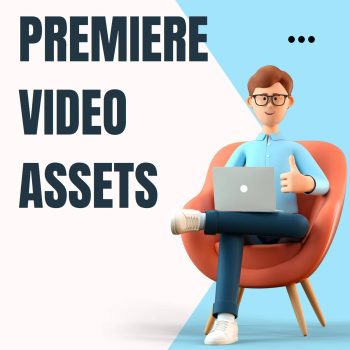
Elevate Your Video Projects with Premiere Pro Video Assets: Unleash Your Creativity!
Looking to add that extra spark to your video projects and captivate your audience like never before? Our Premiere Pro Video Assets collection is your ultimate resource for high-quality, professionally designed elements that will take your videos to the next level.
Key Features:
- Diverse Asset Library: Our collection boasts a wide variety of video assets, including intros, lower thirds, transitions, overlays, and more. With a vast selection to choose from, you’ll have the creative freedom to craft videos that truly stand out.
- Seamless Integration: Designed specifically for Premiere Pro, our video assets are compatible and seamlessly integrate into your editing workflow. Save time and effort with drag-and-drop functionality, ensuring a smooth editing process.
- High-Quality Visuals: Impress your audience with visually stunning elements. All video assets are crafted with meticulous attention to detail, ensuring top-notch quality and professional-grade visuals.
- Customizable Designs: Tailor the assets to fit your video’s style and theme. With easy-to-use customization options, you can adjust colors, fonts, and animations to match your brand identity and creative vision.
- Time-Saving Solutions: As a video creator, time is of the essence. Our Premiere Pro Video Assets are ready to use, eliminating the need to create elements from scratch. Focus on storytelling and content creation while we handle the visuals.
- Elevate Production Value: Enhance your video’s production value without breaking the bank. Our video assets provide a cost-effective way to elevate the overall quality of your projects and compete with industry-leading content.
- Endless Creative Possibilities: From stylish motion graphics to eye-catching animations, our video assets offer endless creative possibilities. Whether you’re producing corporate videos, social media content, or cinematic masterpieces, you’ll find assets that fit your vision.
- Ongoing Updates: We understand the importance of staying relevant in the ever-changing world of video production. Our collection is regularly updated with new and trending assets to keep your work fresh and innovative.
Take your video editing to new heights with our Premiere Pro Video Assets collection. Delight your audience with captivating visuals, enhance your storytelling, and leave a lasting impact with your video projects.
Step into the realm of professional video production today. Unlock the potential of Premiere Pro Video Assets and create videos that leave a lasting impression on your viewers. Get started now and elevate your video projects to extraordinary levels of creativity!
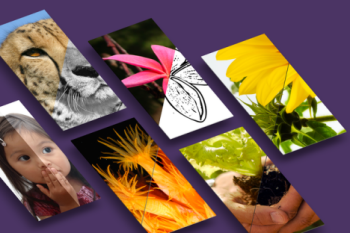
Photoshop can do some magical things.
If you’re looking to add creativity to your Photoshop toolbox, then this pack is for
you.
Don’t waste your time repeating the same tedious steps to achieve an effect.
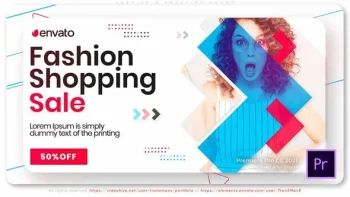
Fashion N Shopping Promo 42951593. | Hi everyone! Simple project for making video promo or advertising of clearance sale action in your shop. If you need to make youtube channel intro – try to use that project!
Thank you so much for being interested in our templates! Please check another projects in a same style for Adobe After Effects software only.
Fashion N Shopping Promo
Fashion N Shopping Promo is a new and modern template with a unique bright design, dynamic text animations and stylish colorful transitioning effects. A cool way to show off your modelling, portfolio and fashion photos or as an intro to your TV shows, commercials and upcoming events videos. Impress your audience with this upbeat and energetically animated AE template. No plugins required.
Main idea of the fashion show opener is creating an atmosphere of success reigning at the fashion week or another glam event. The project has a dynamic and explosive design so it’ll be great as a fashion models presentation or sexy promo for commercial & special events.
Geometric shapes combined with elegance videos create an impressive inspirational design, quite suitable for fashion brand promo, rhythmic model portfolio or stylish streetwear showcase.
Perfect for making smart and short video clips advertising your cloth boutique or dress collection on Instagram, Twitter, Youtube or TV.
ATTENTION!
The same template for After Effects software ONLY you can download HERE
Main Features
If you have Adobe Premiere Pro CC 2021 and above you don’t need installed Adobe After Effects software
1080p (1920×1080) resolution
ONLY ENGLISH SOFTWARE!
No plugins required / free support 24-7 / very easy to edit
PDF Help File included
Change All Settings with Control Layer (Color Control)
You have to install fonts BEFORE running project!
Used Free Fonts (Font links included)
Used Music, Images and Videos just for Preview, not included in the project file
0:45 min default duration (45 seconds)
9 unique scenes with placeholders and titles you can change
7 placeholders / 27 titles
Music Link – Fashion Style
We have many other impressive projects in the same kind, you can check it out here:
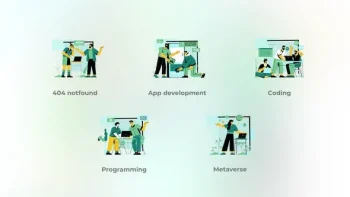
App development – Big People Concepts 42005451. App development – Big People Concepts
Clean and beauty animation
100% After effects
Loop animation
Bodymovin optimized
Easy customozation
All icons have 100% vector and fully resizable!
Audio track here
Video Player
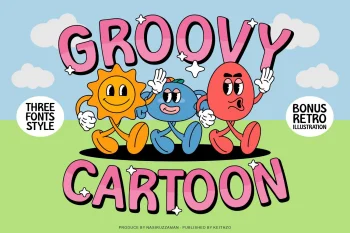
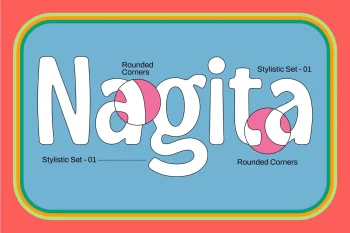
Introducing Groovy Cartoon Display Font – the perfect balance between playful and professional. This font is a versatile choice for a wide range of design projects. With its unique blend of fun and sophistication, it is sure to add a touch of creativity to your creative ideas.
Elevate your designs and make them stand out with this Groovy Cartoon Display Font!
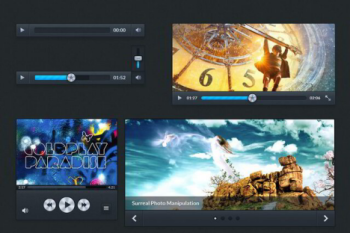
Hundreds of web elements.
Download a well layered PSD kit that is handy for and web designer/developer to create good looking interfaces.
Use it for quick prototyping in your Photoshop projects.
Number of items: 300 | File format: .psd
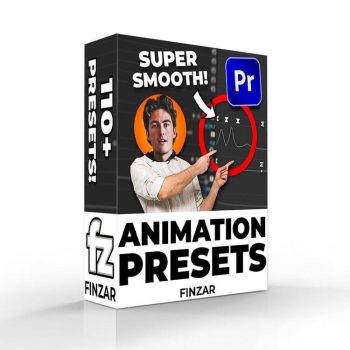
With this pack you’ll be able to quickly create animations similar to those found on videos from TommyInnit (or basically any other minecraft YouTuber)…
This pack includes 1 version of the preset pack; some of the ‘intro’ shakes may not work as intended on Premiere versions previous to 2022. So please purchase if you have the latest version of Premiere. You have been warned!
What’s Included?
- Shakes
– Flash meme
– Standard Shake (x15)
– Wobble Shake (x15)
– Rotation Shake (x15) - PNG Animation
– PNG Drop Shadow
– Transform (Motion Blur)
– 3D Animations (x4)
– Nudges (x8)
– Sways L R (x6)
– Movement (x10)
– Slides (x20) - Misc
-Intro Shakes (x8)
-Stretch Effect (x7) - 3 PNG Characters for you to insert your own head into (to apply these presets onto).
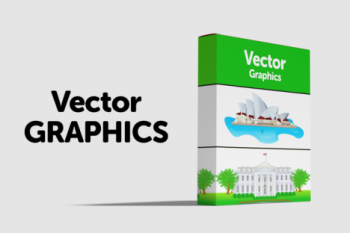
Download awesome Illustrations.
If you’re looking for some quality, professional illustrations to pep up your artwork then this set is for you.
Illustrations can add some real personality to a website.
Unlock the power of branding with our Mega Logo Designs Bundle, a vast and diverse collection of professionally crafted logo designs suitable for a wide range of businesses and projects. Whether you’re a startup, established company, freelancer, or creative professional, this bundle offers an extensive selection of unique and customizable logo designs to elevate your brand identity and make a lasting impression on your audience.
Key Features:
- Extensive Logo Library: Access a comprehensive library of logo designs, spanning various industries, styles, and themes. Find the perfect logo that aligns with your brand personality and message.
- Versatility: Our Mega Logo Designs Bundle caters to a multitude of businesses, from technology and finance to food, fashion, and more. You’re sure to discover a logo that suits your specific niche.
- High-Quality Designs: Each logo in the bundle is meticulously crafted by experienced designers, ensuring professional-grade aesthetics and attention to detail.
- Fully Customizable: Tailor the logos to suit your brand’s unique colors, fonts, and preferences. Edit and modify the designs easily using vector files, providing complete creative control.
- Multiple File Formats: Receive logo designs in various file formats, including AI, EPS, SVG, PSD, and PNG, ensuring compatibility with various graphic design software and platforms.
- Scalable Vector Graphics: The logos are created as vector graphics, enabling seamless scaling without any loss of quality. Use them across various applications, from business cards to billboards.
- Print and Web Ready: Our logos are optimized for both print and web use, providing versatility in marketing materials, websites, social media, and more.
- Time-Saving Solution: Skip the lengthy and costly process of designing a logo from scratch. Our bundle offers an extensive library of pre-made designs, saving you valuable time and resources.
Benefits:
- Brand Enhancement: Establish a strong brand identity with a professionally designed logo that reflects your values, vision, and brand essence.
- Streamlined Design Process: Quickly find the ideal logo for your business or project, eliminating the need for time-consuming design iterations.
- Cost-Effective Solution: Save money on expensive design services by choosing from our extensive logo collection at a fraction of the cost.
- Quick Implementation: Use our fully customizable logo designs to expedite the process of branding your business or launching new projects.
- Stand Out from the Competition: A unique and well-crafted logo sets your brand apart, helping you leave a memorable impression on your target audience.
Upgrade your brand’s visual identity with our Mega Logo Designs Bundle. Access an extensive selection of high-quality and customizable logo designs, perfect for businesses and projects across various industries. Enhance your brand recognition and establish a strong visual presence with professional-grade logos. Download now and take the first step toward branding success!
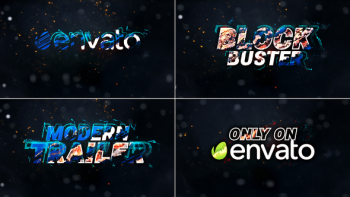
Action Intro Trailer Titles // Movie Trailer // Action Trailer 39344067. Action Intro Trailer Titles is perfect for all kind of Movie Trailer,
cinematic blockbuster, war trailer, heroic introduction,
war documentary, film teasers, War/battle/history Movie trailers.
it`s very good organized and PDF help file included. Enjoy !!.
Features:
NO Plugin Required, Very simple to edit
Works with After effects cc 2015 & above
Multi-purpose
Animation Length 00:60 Second
Full HD Resolution 1920×1080
Easy to Edit Text, you can use text instead of logo
12 Text or logo Placeholders
Quick and Easy Customization
Free Font Download Link
Detailed PDF help file included
Fast Render
Music not included, you can buy it:
https://audiojungle.net/item/hybrid-trailer/19114379
Font not included, you can free Download here:
https://www.fontsquirrel.com/fonts/roboto
Please leave us a five-star review & help us to continue improving My products.
Video Player

Elevate your Instagram game with our Instagram Motion Graphics Pack, a creative and dynamic collection of animated visuals designed to captivate your audience and make your content stand out. Perfect for content creators, influencers, businesses, and anyone looking to make a bold statement on Instagram, this pack offers a versatile range of eye-catching animations to enhance your storytelling and boost engagement.
Key Features:
- Ready-to-Use Animations: Access a diverse selection of pre-made motion graphics tailored for Instagram. No need for complex editing or design skills—simply add them to your videos effortlessly.
- Variety of Styles: Our pack includes an assortment of styles, from elegant and minimalistic animations to bold and energetic designs, ensuring there’s something to match your brand aesthetic.
- Customizable Elements: Personalize the motion graphics with your own text, colors, and branding elements. Customize the animations to align perfectly with your content and message.
- Storytelling Enhancement: Transform static images and videos into dynamic stories with engaging motion graphics that draw attention to specific elements and create a captivating visual experience.
- Seamless Looping: Many animations are designed to loop seamlessly, allowing you to use them for longer videos or as captivating looping backgrounds for Instagram Stories.
- Attention-Grabbing Transitions: Enhance your video transitions with smooth and visually appealing animations, creating a polished and professional look for your Instagram content.
- Optimized for Instagram: The motion graphics are tailored to fit Instagram’s video specifications, ensuring a smooth and visually appealing experience for your followers.
- Time-Saving: Save valuable editing time with our ready-to-use motion graphics. Elevate your Instagram content without the need for hours of video editing.
Benefits:
- Enhanced Engagement: The dynamic and eye-catching animations will capture your audience’s attention and encourage them to watch and interact with your content.
- Consistent Branding: Customize the motion graphics with your brand colors, logo, and fonts, maintaining a cohesive brand identity across all your Instagram posts.
- Versatility: Use the motion graphics for various content types, including product showcases, announcements, promotions, quotes, and more.
- Increased Impact: Elevate the impact of your Instagram Stories, Reels, and posts with professional-grade animations that leave a lasting impression.
- Streamlined Content Creation: Speed up your content creation process with our Instagram Motion Graphics Pack, freeing up time for other important aspects of your business or creative pursuits.
Step into the world of captivating visual storytelling with our Instagram Motion Graphics Pack. Transform your Instagram feed into an engaging and dynamic visual experience that leaves a lasting impression on your audience. Boost your social media presence and take your content to new heights with this versatile pack of animations. Download now and unleash the power of motion on Instagram!


Reviews
There are no reviews yet.