


Photomotion X 10.3.2 – Biggest Photo Animation Toolkit (5 in 1)

Welcome Photomotion X
We’ve spent years perfecting the art of animating static pictures. Photomotion X is the result.
Five Products in One.
The largest photo animation toolkit ever created.
Portrait
Animate any face with the most advanced portrait projection on the market.
Glacier
Create truly engaging cinemagraphs directly inside of Photomotion.
Mirage
Make your skies, smoke and water move with our new Mirage toolkit.
Horizon
Professional 3D projection for truly photorealistic results. Completely revamped in Photomotion X.
Parallax
Create stunning animations by combining simple parallax effect with the power of Photomotion.
more coming soon
We aim to create the most complete photo animation toolkit on the planet. Expect new animation tools soon.
100 New Features
Photomotion X is the biggest update we’ve ever created. It combines years of experience into one tool that brings more than 100 new features to you.
Easier Than Ever with Smart Interface.
Compatible with Mac & Windows. Requires Adobe After Effects installed on your computer.
Your Command Centre. Our proprietary Smart Interface is constantly adapting to your actions, making it is easier than ever to use Photomotion. Developed by leading user experience designers to make sure you don’t need to read tons of tutorials to start using Photomotion. Save & Take with you.
Working on multiple computers just got easier. Photomotion doesn’t require installation so you can simply move your project to another computer and continue working where you left off. Comes with full support for Windows and Mac OS.
One-Click 3D Particles
29 Fully Integrated Particle Systems
With the new Photomotion X you can add professional 3D particles to your scene with a single click. Photomotion will automatically animate them for you so you don’t need to spend any time at all and your image will immediately look more engaging.
Most popular:
Snow, Rain, Leaves & Petals, Dust, Time – Freeze 24 more particle systems
One-Click Seamless Loops
Auto-Loop.
Create infinitely long animations with our new auto-loop feature. One click and Photomotion will calculate all loops for you.
Boomerang.
Prefer boomerang effect? Photomotion X comes with one-click function to create boomerang animations for you.
Packed with 100 Features
Photomotion X is the largest photo animation toolkit ever created, packed with features to help you create stunning images easier.5 products in 1, Scene Relight, Camera Follow, Eyes Scale, Face Makeup, Slideshow Builder, Resolution Previews, Auto-Loop 92 more
Variations.
Create variations of your animation for different channels without re-animating your image again. This allows you to create multiple versions of the same animation in just a few clicks.
Photomotion Presets
Export different variations of your animation for different channels without need to re-animate your image.
Buy Once. Animate Forever.
We created Photomotion to help more people get into photo animation. Limiting how many pictures you could convert would go against our vision. We don’t put any limits on number of pictures you convert with Photomotion.
Portrait
Photomotion Portrait is the most advanced and feature rich projection for animating portrait photos. With most sophisticated projection engine on the market.
Use X-ray:
Photomotion uses professional 3D body scans to give you the most realistic depth maps you can get.
True Depth:
Let our proprietery Photomotion Xray calculate 3D mesh by simply choosing positions of your eyes and nose.
Move in 3D space:
Use Smart Interface to move your face in real 3D space, add particles, enhance your animation and export your video.
Glacier
Photomotion Glacier can create engaging cinemagraphs by freezing a part of your video while the rest continues to play in seamless loop or boomerang animation.
Import Video:
Import a video into Glacier where you will be able to stabilize it and make it ready for the next step.
Freeze:
Freeze one or more areas of your video by simply drawin a mask around it. All inside of After Effects.
Auto-Loop:
Glacier will automatically calculate seamless loops for you, so you can export your final video to any length.
Mirage
Photomotion Mirage combines the power of animating water, skies, smoke and others with our auto-loop system to create illusion of a movement in your photos.
Mask:
Import an image and create a mask around the area you want Mirage to animate. All inside of After Effects.
Mesh Move:
Mirage will calculate a mesh in your masked area and give you tools to animate it however you want.
Seamlessly Looped:
Mirage will then automatically caculate a seamless loop for you and let you export infinitely long animation.
Horizon
Photomotion Horizon is a professional 3D projection without the need to learn or use any 3D software. This is the most feature rich projection in Photomotion X.
Use 3D Cage:
Horizon uses our special control system for setting up a real 3D space by using intuitive user interface controls.
Add Objects:
Add objects to your scene such as people and let Horizon do the hard work of calculating their real 3D position.
Animate & Export:
Horizon offers the most advanced tools for photo animaiton. Use them to create stunning end results.
Parallax
Photomotion Parallax combines the power of Photomotion engine with the simplicity of parallax effect to create beautiful animations in no time.
Add Background:
Add the main layer to Parallax. That’s usually a background of your image.
Add Layers:
Add multiple objects into the scene, position them wherever you want and build your own 2.5D scene.
Have Fun!
Move the camera by using our Smart Interface and watch your layers come to life without need to set-up animations manually.
Suitable for beginners
Photomotion
Easy to use and optimised for complete beginners as well as professionals
Other
Most tools aren’t optimised for beginners and first time users
Suitable for professional use
Photomotion
full support for professional-grade tools, features and training
Other
most tools are offering very simple and limited featureset
Suitable for professional use
Photomotion
full support for professional-grade tools, features and training
Other
most tools are offering very simple and limited featureset
Number of projection methods
Photomotion
5 new coming soon
Other
1-2
Original price was: ₹150.00.₹49.00Current price is: ₹49.00.
Welcome Photomotion X
We’ve spent years perfecting the art of animating static pictures. Photomotion X is the result.
Five Products in One.
The largest photo animation toolkit ever created.
Portrait
Animate any face with the most advanced portrait projection on the market.
Glacier
Create truly engaging cinemagraphs directly inside of Photomotion.
Mirage
Make your skies, smoke and water move with our new Mirage toolkit.
Horizon
Professional 3D projection for truly photorealistic results. Completely revamped in Photomotion X.
Parallax
Create stunning animations by combining simple parallax effect with the power of Photomotion.
more coming soon
We aim to create the most complete photo animation toolkit on the planet. Expect new animation tools soon.
100 New Features
Photomotion X is the biggest update we’ve ever created. It combines years of experience into one tool that brings more than 100 new features to you.
Easier Than Ever with Smart Interface.
Compatible with Mac & Windows. Requires Adobe After Effects installed on your computer.
Your Command Centre. Our proprietary Smart Interface is constantly adapting to your actions, making it is easier than ever to use Photomotion. Developed by leading user experience designers to make sure you don’t need to read tons of tutorials to start using Photomotion. Save & Take with you.
Working on multiple computers just got easier. Photomotion doesn’t require installation so you can simply move your project to another computer and continue working where you left off. Comes with full support for Windows and Mac OS.
One-Click 3D Particles
29 Fully Integrated Particle Systems
With the new Photomotion X you can add professional 3D particles to your scene with a single click. Photomotion will automatically animate them for you so you don’t need to spend any time at all and your image will immediately look more engaging.
Most popular:
Snow, Rain, Leaves & Petals, Dust, Time – Freeze 24 more particle systems
One-Click Seamless Loops
Auto-Loop.
Create infinitely long animations with our new auto-loop feature. One click and Photomotion will calculate all loops for you.
Boomerang.
Prefer boomerang effect? Photomotion X comes with one-click function to create boomerang animations for you.
Packed with 100 Features
Photomotion X is the largest photo animation toolkit ever created, packed with features to help you create stunning images easier.5 products in 1, Scene Relight, Camera Follow, Eyes Scale, Face Makeup, Slideshow Builder, Resolution Previews, Auto-Loop 92 more
Variations.
Create variations of your animation for different channels without re-animating your image again. This allows you to create multiple versions of the same animation in just a few clicks.
Photomotion Presets
Export different variations of your animation for different channels without need to re-animate your image.
Buy Once. Animate Forever.
We created Photomotion to help more people get into photo animation. Limiting how many pictures you could convert would go against our vision. We don’t put any limits on number of pictures you convert with Photomotion.
Portrait
Photomotion Portrait is the most advanced and feature rich projection for animating portrait photos. With most sophisticated projection engine on the market.
Use X-ray:
Photomotion uses professional 3D body scans to give you the most realistic depth maps you can get.
True Depth:
Let our proprietery Photomotion Xray calculate 3D mesh by simply choosing positions of your eyes and nose.
Move in 3D space:
Use Smart Interface to move your face in real 3D space, add particles, enhance your animation and export your video.
Glacier
Photomotion Glacier can create engaging cinemagraphs by freezing a part of your video while the rest continues to play in seamless loop or boomerang animation.
Import Video:
Import a video into Glacier where you will be able to stabilize it and make it ready for the next step.
Freeze:
Freeze one or more areas of your video by simply drawin a mask around it. All inside of After Effects.
Auto-Loop:
Glacier will automatically calculate seamless loops for you, so you can export your final video to any length.
Mirage
Photomotion Mirage combines the power of animating water, skies, smoke and others with our auto-loop system to create illusion of a movement in your photos.
Mask:
Import an image and create a mask around the area you want Mirage to animate. All inside of After Effects.
Mesh Move:
Mirage will calculate a mesh in your masked area and give you tools to animate it however you want.
Seamlessly Looped:
Mirage will then automatically caculate a seamless loop for you and let you export infinitely long animation.
Horizon
Photomotion Horizon is a professional 3D projection without the need to learn or use any 3D software. This is the most feature rich projection in Photomotion X.
Use 3D Cage:
Horizon uses our special control system for setting up a real 3D space by using intuitive user interface controls.
Add Objects:
Add objects to your scene such as people and let Horizon do the hard work of calculating their real 3D position.
Animate & Export:
Horizon offers the most advanced tools for photo animaiton. Use them to create stunning end results.
Parallax
Photomotion Parallax combines the power of Photomotion engine with the simplicity of parallax effect to create beautiful animations in no time.
Add Background:
Add the main layer to Parallax. That’s usually a background of your image.
Add Layers:
Add multiple objects into the scene, position them wherever you want and build your own 2.5D scene.
Have Fun!
Move the camera by using our Smart Interface and watch your layers come to life without need to set-up animations manually.
Suitable for beginners
Photomotion
Easy to use and optimised for complete beginners as well as professionals
Other
Most tools aren’t optimised for beginners and first time users
Suitable for professional use
Photomotion
full support for professional-grade tools, features and training
Other
most tools are offering very simple and limited featureset
Suitable for professional use
Photomotion
full support for professional-grade tools, features and training
Other
most tools are offering very simple and limited featureset
Number of projection methods
Photomotion
5 new coming soon
Other
1-2
Related Products

There are templates of every style, including business, medical, social media, ecological, maps, cycles, and much more. Each template comes in AI, EPS, PSD, PNG, and JPG file format, so you can use them in Illustrator, Photoshop, or any other software, and adapt them easily to your specific needs.
Only free fonts are used in these templates, and links to download and install them are included as well.
MAIN FEATURES:
– Well organized
– Fully layered
– 100% Vector
ZIP PACKAGE INCLUDES:
– 200 EPS10 files
– 200 AI CS2 files with editable text
– 200 PSD layered files
– 200 JPEG files
– 200 PNG files on a transparent background without texts and icons for each infographic
Included items:
– Cycle infographic pack
– Ecological infographics
– Social media infographics
– Fresh infographics pack
– Business infographics pack
– Maps and markers infographic pack – Medical infographics pack
Elevate Your Video Projects with Premiere Pro Video Assets: Unleash Your Creativity!
Looking to add that extra spark to your video projects and captivate your audience like never before? Our Premiere Pro Video Assets collection is your ultimate resource for high-quality, professionally designed elements that will take your videos to the next level.
Key Features:
- Diverse Asset Library: Our collection boasts a wide variety of video assets, including intros, lower thirds, transitions, overlays, and more. With a vast selection to choose from, you’ll have the creative freedom to craft videos that truly stand out.
- Seamless Integration: Designed specifically for Premiere Pro, our video assets are compatible and seamlessly integrate into your editing workflow. Save time and effort with drag-and-drop functionality, ensuring a smooth editing process.
- High-Quality Visuals: Impress your audience with visually stunning elements. All video assets are crafted with meticulous attention to detail, ensuring top-notch quality and professional-grade visuals.
- Customizable Designs: Tailor the assets to fit your video’s style and theme. With easy-to-use customization options, you can adjust colors, fonts, and animations to match your brand identity and creative vision.
- Time-Saving Solutions: As a video creator, time is of the essence. Our Premiere Pro Video Assets are ready to use, eliminating the need to create elements from scratch. Focus on storytelling and content creation while we handle the visuals.
- Elevate Production Value: Enhance your video’s production value without breaking the bank. Our video assets provide a cost-effective way to elevate the overall quality of your projects and compete with industry-leading content.
- Endless Creative Possibilities: From stylish motion graphics to eye-catching animations, our video assets offer endless creative possibilities. Whether you’re producing corporate videos, social media content, or cinematic masterpieces, you’ll find assets that fit your vision.
- Ongoing Updates: We understand the importance of staying relevant in the ever-changing world of video production. Our collection is regularly updated with new and trending assets to keep your work fresh and innovative.
Take your video editing to new heights with our Premiere Pro Video Assets collection. Delight your audience with captivating visuals, enhance your storytelling, and leave a lasting impact with your video projects.
Step into the realm of professional video production today. Unlock the potential of Premiere Pro Video Assets and create videos that leave a lasting impression on your viewers. Get started now and elevate your video projects to extraordinary levels of creativity!
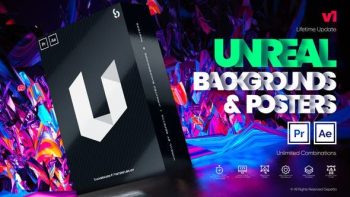
Both are available in After Effects and PremierenPro ready to be used in different concepts and any social media agency.
Unreal have different poster categories that will cover your different needs from abstract, fashion, sports, corporate, special events, retro, technology, marketing, lux and art. There are endless combinations of backgrounds, colors, typographies and add ons to make unique posters and create your own brand.
The Unreal Extension makes it more enticing and gives you a smooth and trouble-free experience in making poster animations.
INCLUSIONS:
Ready-made animated backgrounds and posters
10 Different poster categories such as: abstract, fashion, sports, corporate, special events, retro, technology, marketing, lux and art. Animated Add Ons, Devices and Neons
Responsive design/Auto Resize
Unreal Extension (in AE) for smooth and effortless work
Lifetime update of designs
No plugins required
Works with PP CC 19 and above
Works with AE CC 19 and above
Works for all language of AE
Fast Render
Video Tutorials
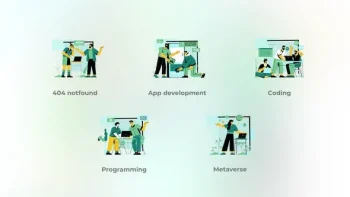
App development – Big People Concepts 42005451. App development – Big People Concepts
Clean and beauty animation
100% After effects
Loop animation
Bodymovin optimized
Easy customozation
All icons have 100% vector and fully resizable!
Audio track here
Video Player
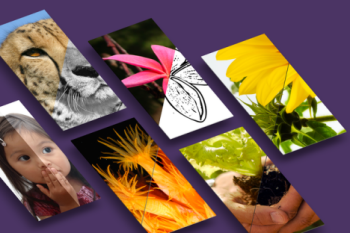
Photoshop can do some magical things.
If you’re looking to add creativity to your Photoshop toolbox, then this pack is for
you.
Don’t waste your time repeating the same tedious steps to achieve an effect.
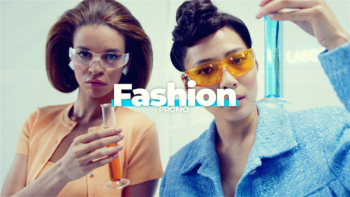
Fashion Promo 43009350. Fashion Opener is a fresh and creative After Effects template with a professional design, creative animations and stylish transitioning effects. This template contains 21 editable text layers, 18 image/video placeholders and 1 logo placeholder. This template is a cool way to show off your modeling portfolio and fashion photos or as an intro to your TV shows, commercials and upcoming events videos. Quickly and easily create an impactful video and impress your audience with this upbeat and energetically animated AE template. No plugins required.
After Effects CC
No plugins required
1920х1080 Full HD Resolution
Great soundtrack you can find: here
Easy to edit
Links for free font is included
Help Video Include
Well organized
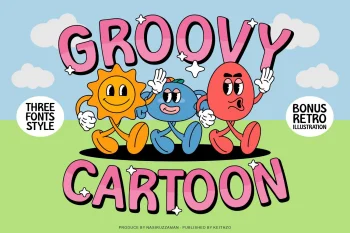
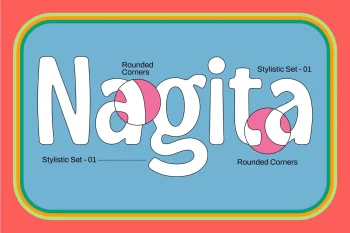
Introducing Groovy Cartoon Display Font – the perfect balance between playful and professional. This font is a versatile choice for a wide range of design projects. With its unique blend of fun and sophistication, it is sure to add a touch of creativity to your creative ideas.
Elevate your designs and make them stand out with this Groovy Cartoon Display Font!
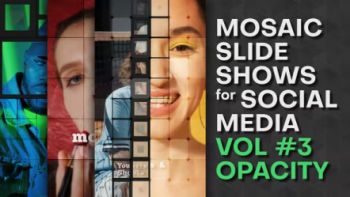
Project features:
- Very easy to use and edit. Just put your images in placeholders and edit the texts ● Video tutorial included
- No plugin required
- After Effects CC 2021 or higher
- Frame rate: 30
- Universal Expressions (Works for all After Effects Languages)
- All settings with one control layer
- Well organized template
- Music and images not included
- Font “ChunkFive Ex” you can find here
● Soundtrack you can find here
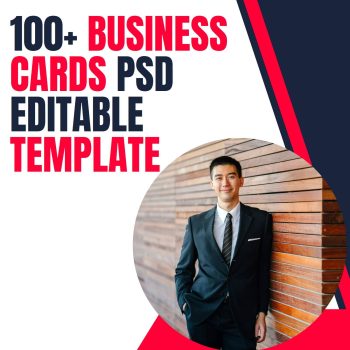
Discover Limitless Design Possibilities with our 100 Business Cards PSD Editable Template Collection!
In the fast-paced world of business, a well-designed business card can be the key to leaving a lasting impression on potential clients and partners. With our extensive collection of 100 Business Cards PSD Editable Templates, you have the ultimate creative toolkit to showcase your brand and stand out from the crowd.
Key Features:
- Massive Template Variety: Choose from over 100 professionally crafted business card templates, each featuring unique designs, styles, and color schemes. Whether you’re a corporate professional, a creative entrepreneur, or a freelancer, you’ll find the perfect template to match your brand identity.
- Fully Editable PSD Files: Our templates come in PSD format, granting you complete control over customization. Easily modify text, fonts, colors, and graphics to align the card’s design with your specific preferences and branding requirements.
- High-Quality Graphics: Impress with stunning visuals! Each template boasts high-quality graphics and vector elements, ensuring your business card maintains its sharpness and clarity, even after printing.
- User-Friendly Editing: Don’t worry if you’re not a design expert! Our templates are designed with user-friendliness in mind. Effortlessly navigate and modify the elements to create a professional-looking business card in minutes.
- Print-Ready Format: Ready to make an impact in the real world? Our templates are print-ready, ensuring seamless output when you take them to the printing press. No hassle, no fuss—just flawless results.
- Endless Branding Opportunities: Your business card is a reflection of your brand. With 100 templates at your disposal, you can experiment with various designs and find the one that perfectly represents your unique style.
- Multipurpose Use: Our templates are versatile and cater to a broad range of industries and professions. Whether you’re in finance, marketing, art, or any other field, our collection has the right business card for you.
- Unleash Creativity: Designing a remarkable business card has never been easier. Access our extensive library of templates and let your creativity run wild, producing cards that leave a lasting impression on your clients and prospects.
Unlock your brand’s full potential with stunning business cards that make a statement. Embrace the power of our 100 Business Cards PSD Editable Template Collection and take your networking to new heights.
Grab this opportunity to elevate your professional image and secure business success. Get started with our editable templates now!
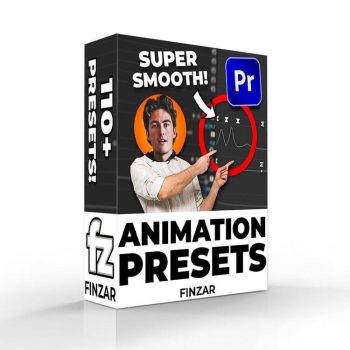
With this pack you’ll be able to quickly create animations similar to those found on videos from TommyInnit (or basically any other minecraft YouTuber)…
This pack includes 1 version of the preset pack; some of the ‘intro’ shakes may not work as intended on Premiere versions previous to 2022. So please purchase if you have the latest version of Premiere. You have been warned!
What’s Included?
- Shakes
– Flash meme
– Standard Shake (x15)
– Wobble Shake (x15)
– Rotation Shake (x15) - PNG Animation
– PNG Drop Shadow
– Transform (Motion Blur)
– 3D Animations (x4)
– Nudges (x8)
– Sways L R (x6)
– Movement (x10)
– Slides (x20) - Misc
-Intro Shakes (x8)
-Stretch Effect (x7) - 3 PNG Characters for you to insert your own head into (to apply these presets onto).

Elevate your Instagram presence and unlock the full potential of this dynamic platform with our Instagram Mega Bundle—a comprehensive collection of tools, templates, and resources designed to help you stand out and thrive in the ever-changing world of social media.
Key Features:
- Instagram Post Templates: Access a vast array of professionally designed post templates to create eye-catching visuals that engage your audience and amplify your message.
- Instagram Story Templates: Tell captivating stories with our Story templates, designed to enhance your storytelling and capture your viewers’ attention.
- Instagram Reels and IGTV Templates: Elevate your video content with Reels and IGTV templates that add flair, professionalism, and creativity to your videos.
- Instagram Highlight Covers: Maintain a polished and cohesive look for your profile with our stylish Highlight Covers, creating a visual narrative for your brand.
- Instagram Live Graphics: Make your live broadcasts more engaging with overlays, countdown timers, and branded graphics.
- Instagram Filters and Presets: Edit your photos with ease and consistency using our collection of Instagram filters and presets for a cohesive and professional feed.
- Instagram Analytics and Planner: Stay on top of your Instagram performance with analytics and planning tools that help optimize your content and posting schedule.
- Instagram Growth and Marketing Guides: Gain valuable insights into Instagram growth strategies, marketing techniques, and content optimization tips.
- Instagram Captions and Hashtags: Enhance your captions and discover relevant hashtags to expand your reach and increase engagement.
- Instagram Influencer Collaboration Templates: Streamline your influencer collaborations with contract templates and guidelines for smooth partnerships.
Benefits:
- Professional Branding: Maintain a consistent and professional visual identity across all your Instagram content.
- Time-Saving: Our ready-to-use templates and tools save you time, enabling you to focus on creating exceptional content and engaging with your audience.
- Increased Engagement: Captivate your followers with visually appealing content and storytelling templates that boost engagement and drive interactions.
- Growth and Visibility: Implement effective growth strategies and optimization techniques to increase your Instagram reach and visibility.
- Creative Freedom: Customize templates and resources to match your brand’s style, personality, and unique offerings.
Empower your Instagram strategy with our Instagram Mega Bundle, a one-stop solution to elevate your social media presence, enhance your branding, and connect with your audience on a deeper level. Whether you’re a business, influencer, or content creator, this bundle offers the tools and guidance you need to thrive on Instagram. Download now and take your Instagram game to new heights!
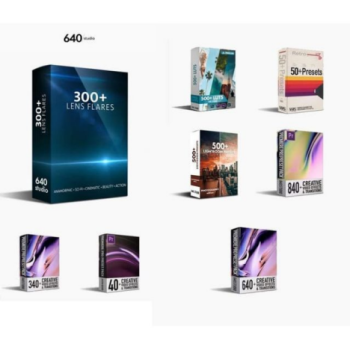
- 40 Transtions Video Effects Starter Pack
- 50 Vhs Presets Pack
- 300 Action Sci-fi Cinematic Anamorphic Lens Flares
- 340 Transition Video Effects Pack
- 500 Photography Presets Pack
- 540 Cinematic Luts Pack
- 640 Transitions Video Effects Pack
● 840 Transitions Video Editing Pack


Reviews
There are no reviews yet.